Construction video · Baton Rouge & Louisiana
See what a useful construction progress update should show, with real examples from footage we captured on Louisiana jobsites.
If you are reviewing a construction project from an office, a meeting room, or another city, a folder of attractive aerial clips can still leave you asking: What am I looking at? Where is that work happening? Which part matters today?
The update needs to give you those answers. That starts with choosing the views around the people who will use them.
At Lana Oliver Productions, we capture construction drone video and photography in Baton Rouge and across Louisiana. The examples below use our own construction and river-crane footage to walk through the choices: where to begin, when to move closer, and what to deliver.
For the broader planning decisions—marketing footage, recurring documentation, or a separately scoped technical service—see our Louisiana construction drone planning guide. This walkthrough focuses on the visual update itself.
What could a single-visit construction update look like?
Here is an illustrative selection using the construction images in this article. It shows how to organize one visit; it is not a record of a delivered client package or a comparison between dates.
| Selected view | What it helps explain |
|---|---|
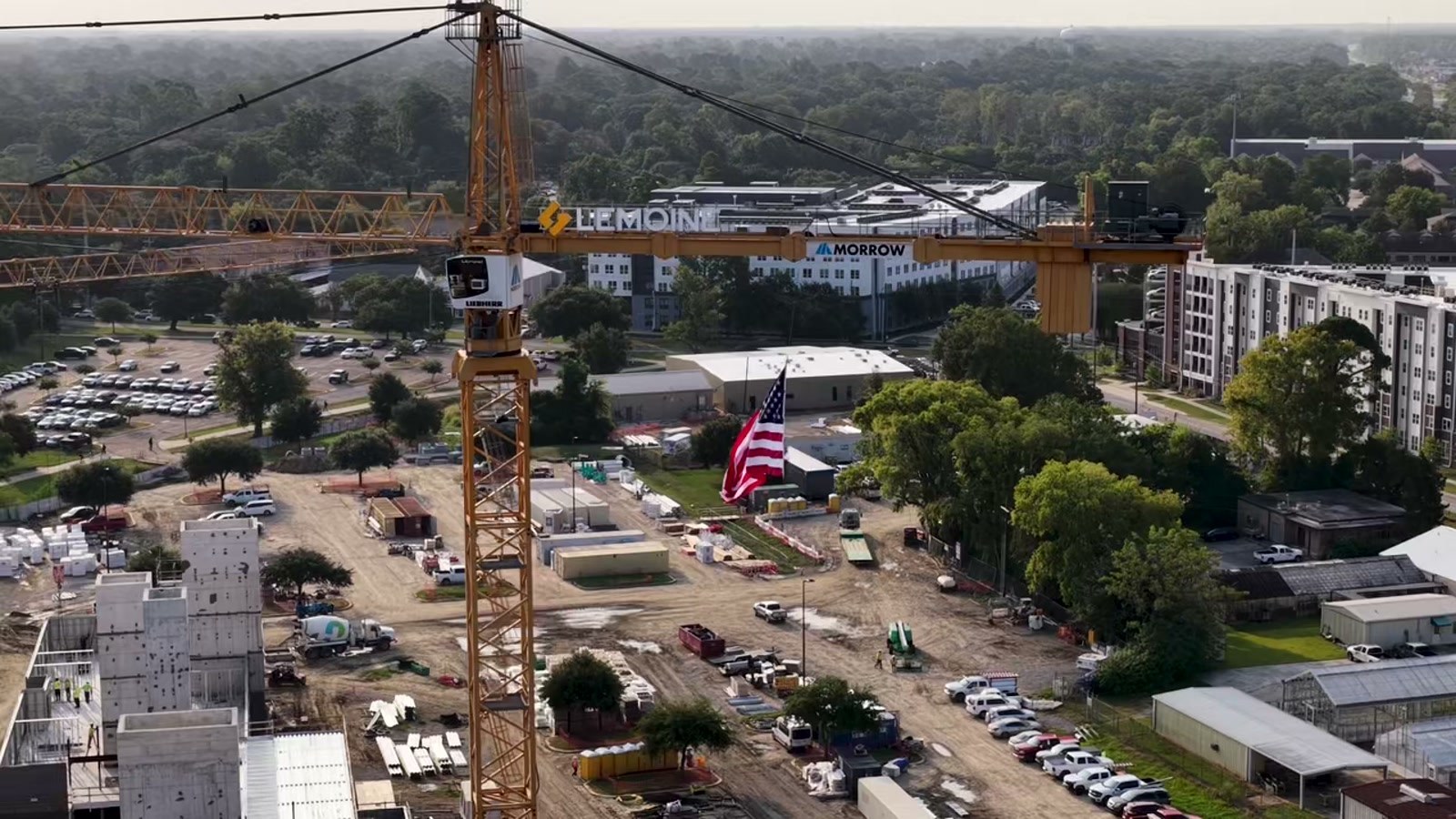
| Site overview | How the structures, equipment, work areas, and surroundings connect. |
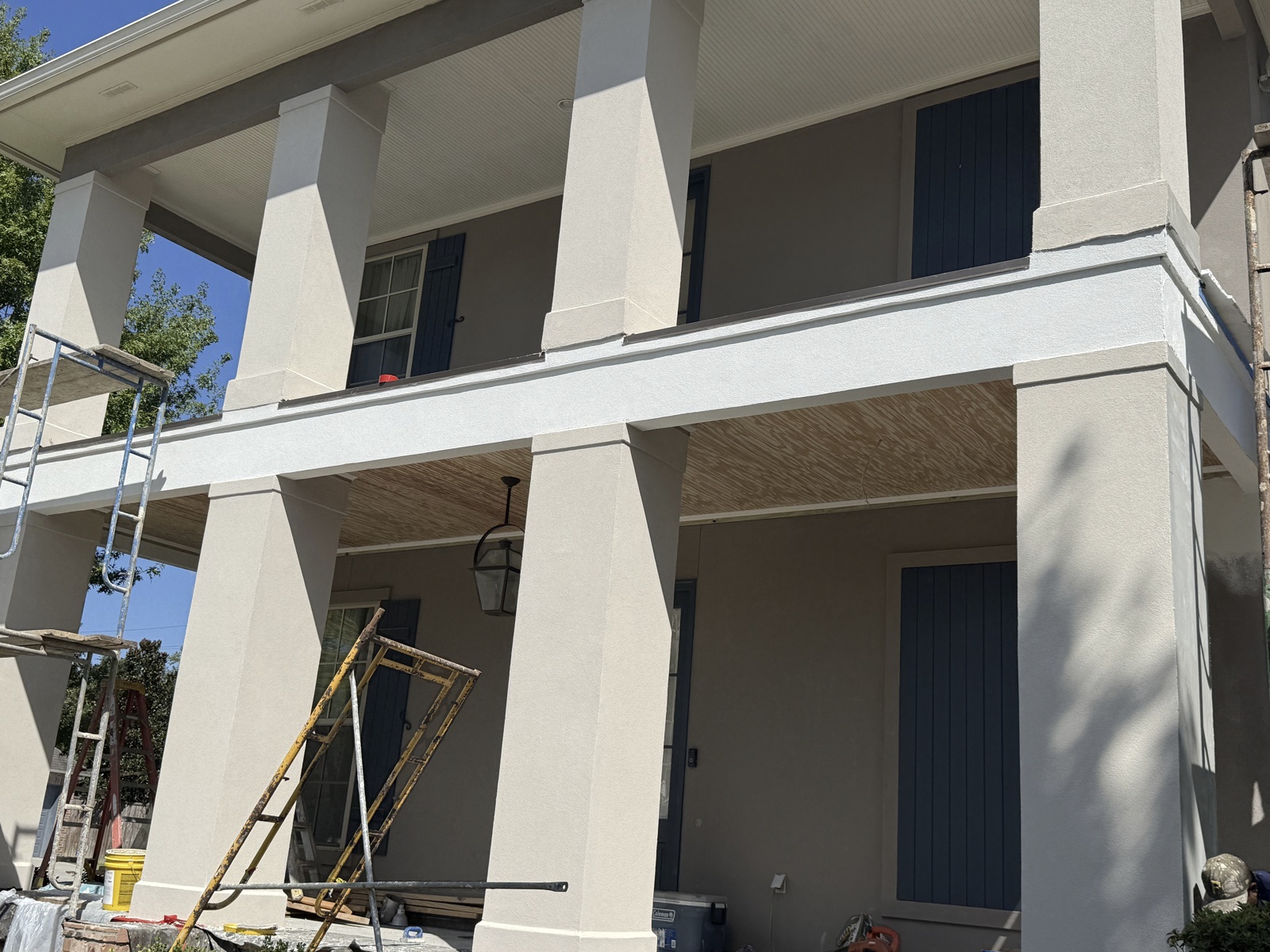
| Work area | Which section of the facade the team wants to discuss. |
| Access | Where the entrance leads and how the visible areas are arranged. |
| Work detail | What is visible at the level of the people and materials. |
| Structural context | Where a project contact may want to explain a phase or milestone. |
For an actual delivery, add the confirmed capture date, project and area names, a brief project-contact-reviewed summary, and the agreed files. If an earlier visit exists, include comparable dated views. These examples demonstrate selection and framing; they do not establish completion or schedule status.
Start with a view that explains the site
The opening construction aerial works because several relationships are visible at once: the crane beside the structures, the material areas, and the streets around the work. Someone unfamiliar with the project can begin to locate the details that follow.
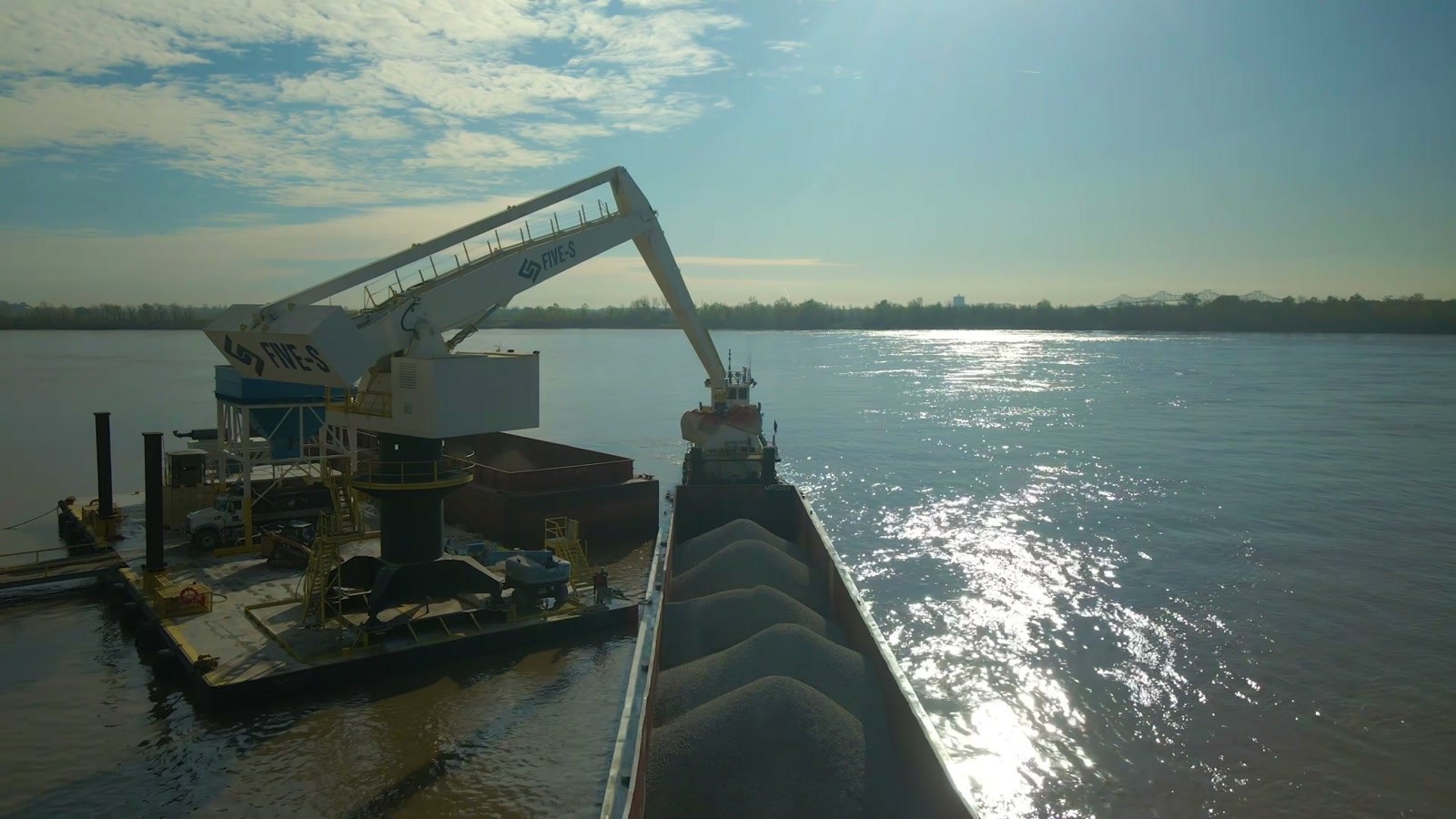
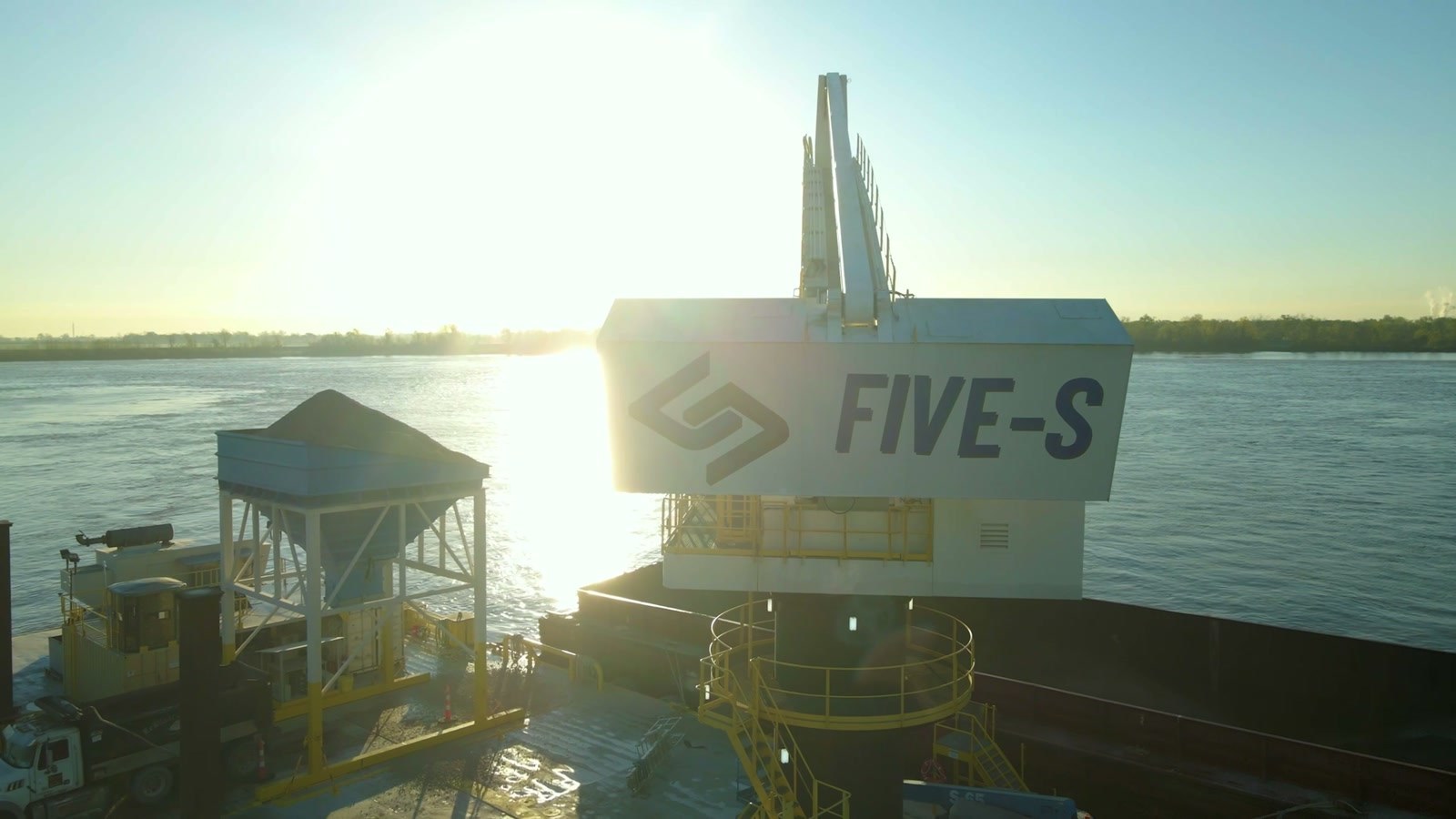
Our river-crane footage uses the same visual principle. The wide view below shows the equipment in its operating setting. A tight shot of the crane alone would tell you less about its relationship to the barge and water.
For your update: choose an opening view that gives the audience its bearings. Then identify the area you want them to examine more closely.
Give each work area a recognizable reference view
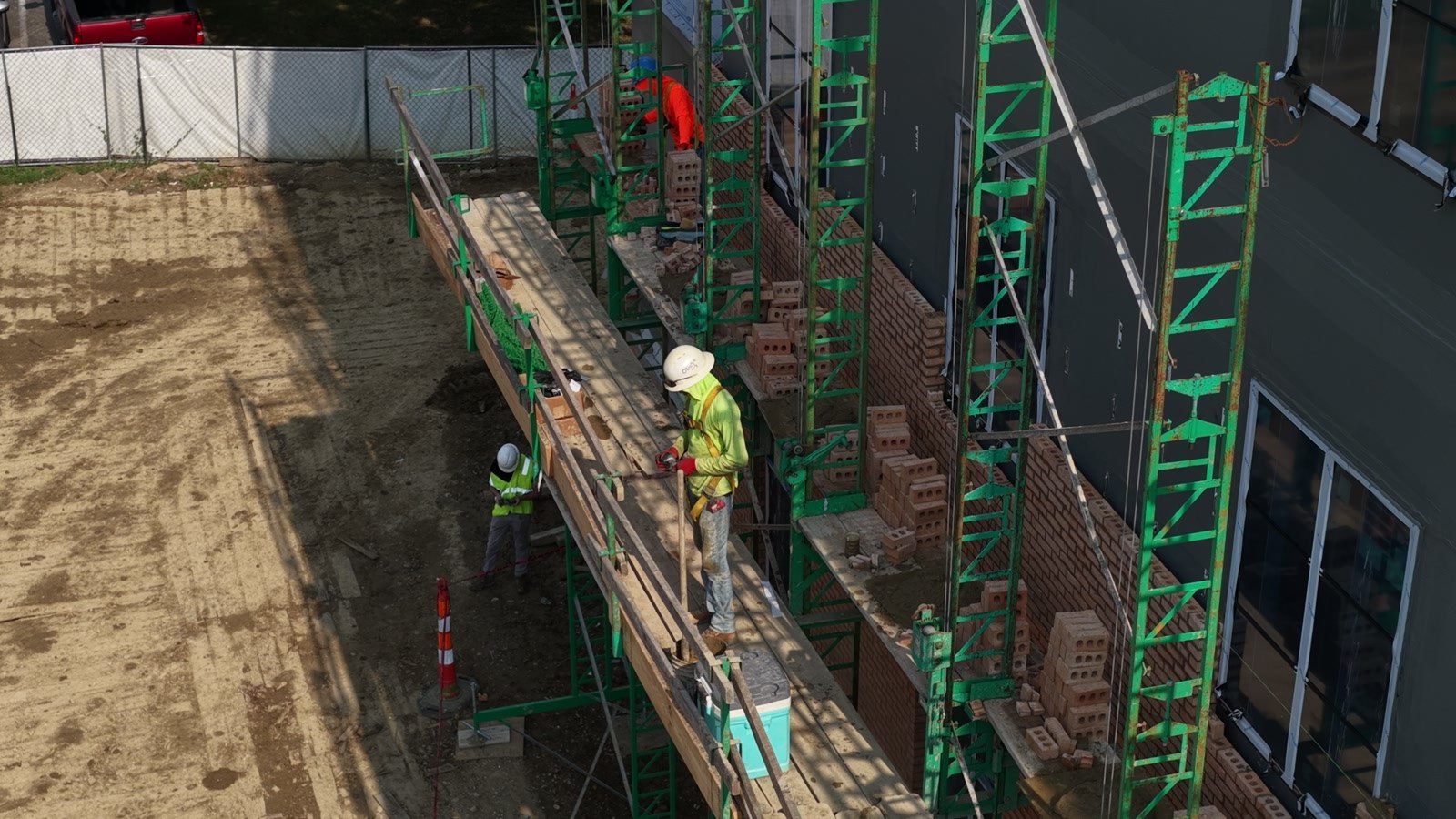
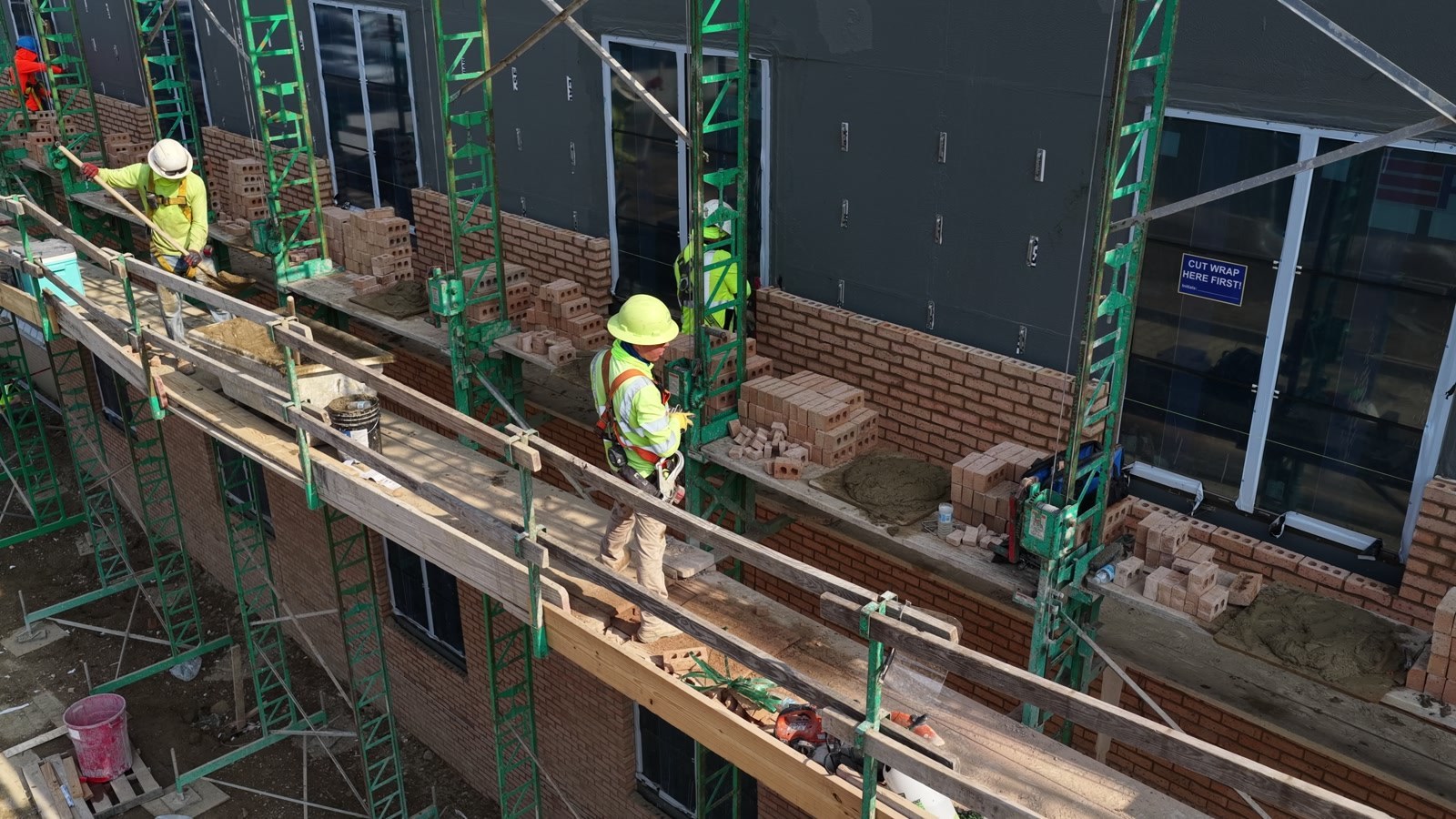
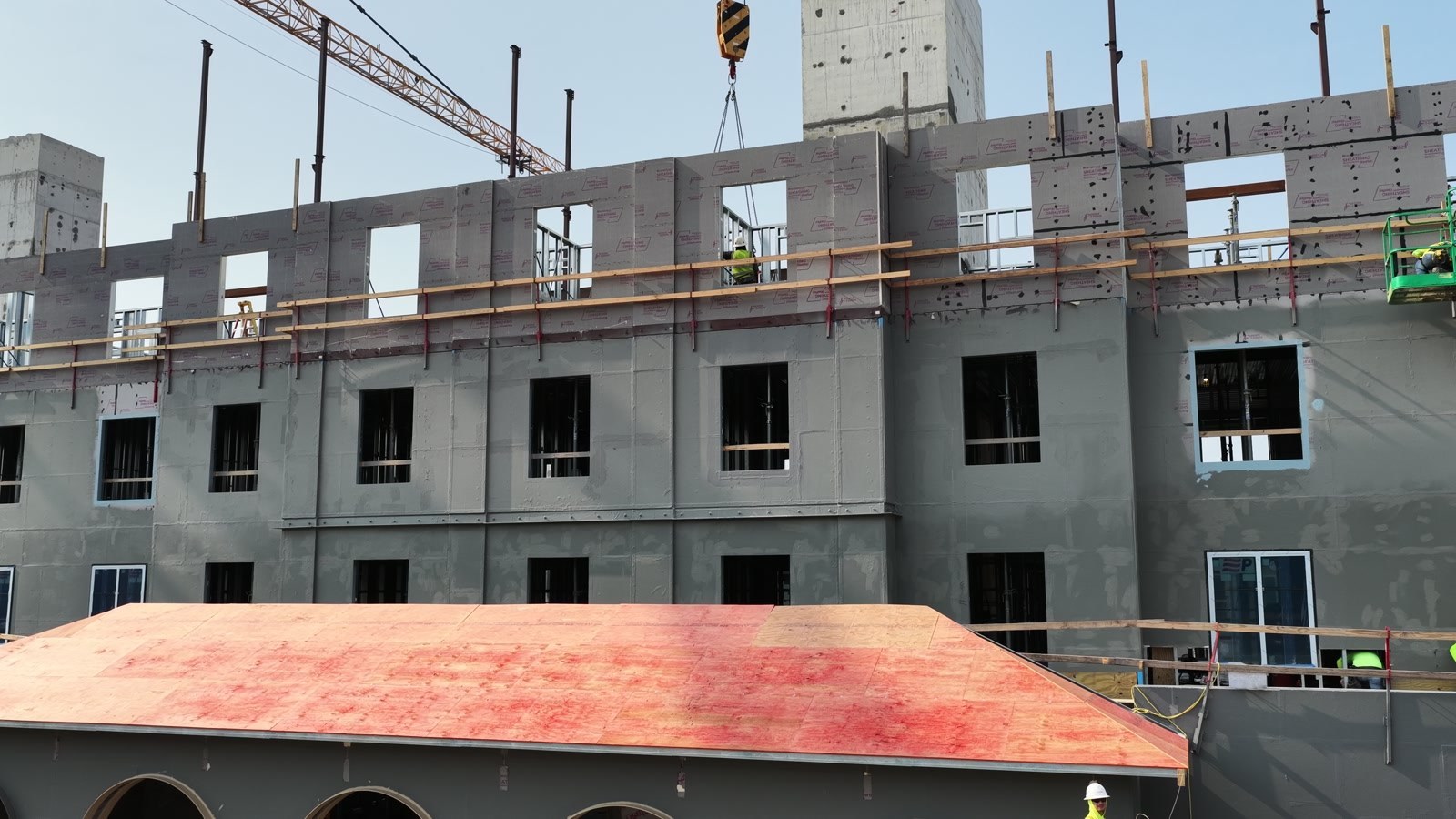
In the masonry frame below, the facade and scaffold line provide a recognizable area to return to. For recurring coverage, comparable camera direction, distance, and framing would make a later visit easier to interpret.
That is a plan for future comparisons, rather than a claim that the frames here show change over time. Record the capture dates and keep the area labels consistent. The project contact can then explain the visible changes using views of the same part of the job.
Show where the entrance leads
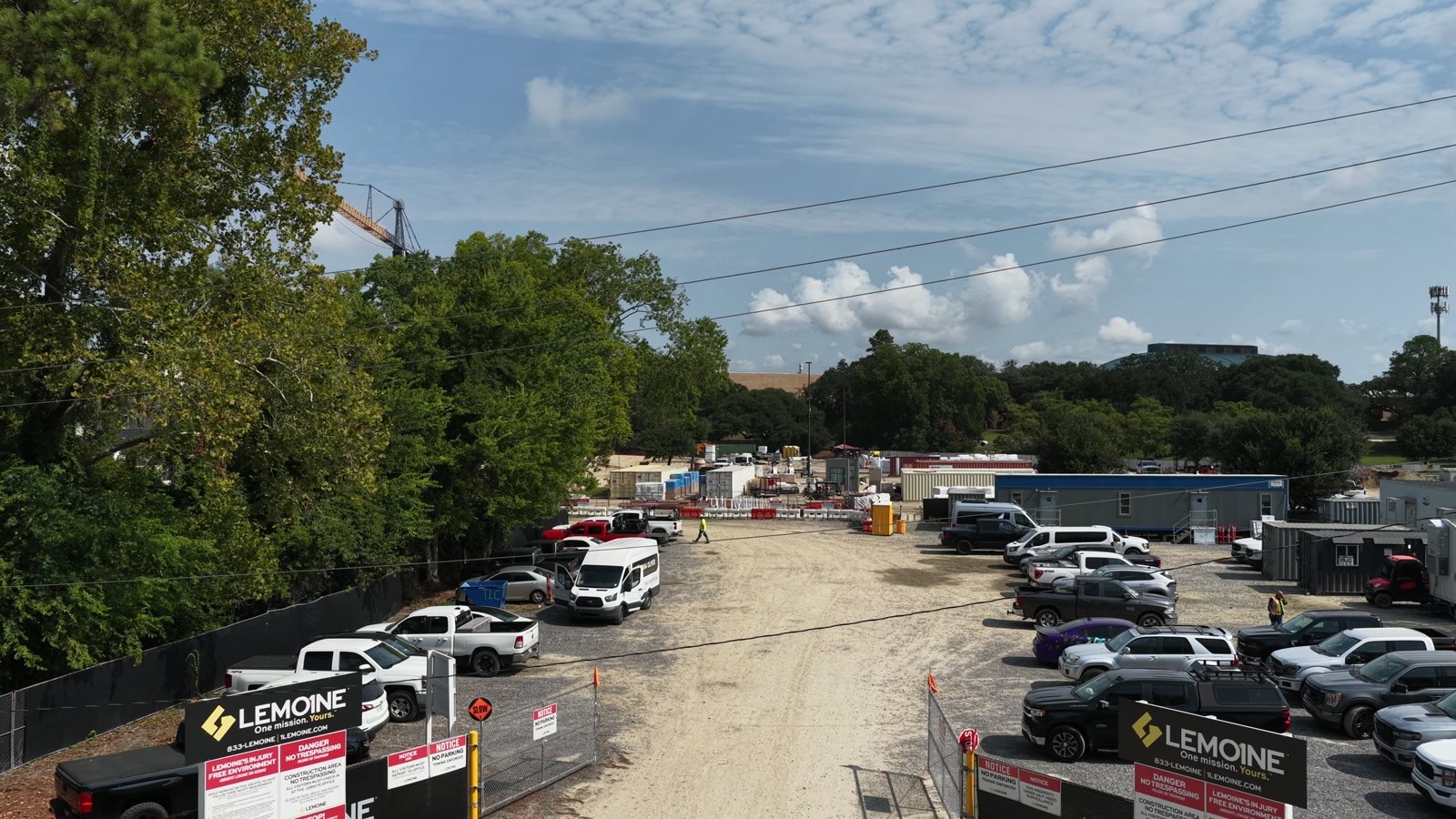
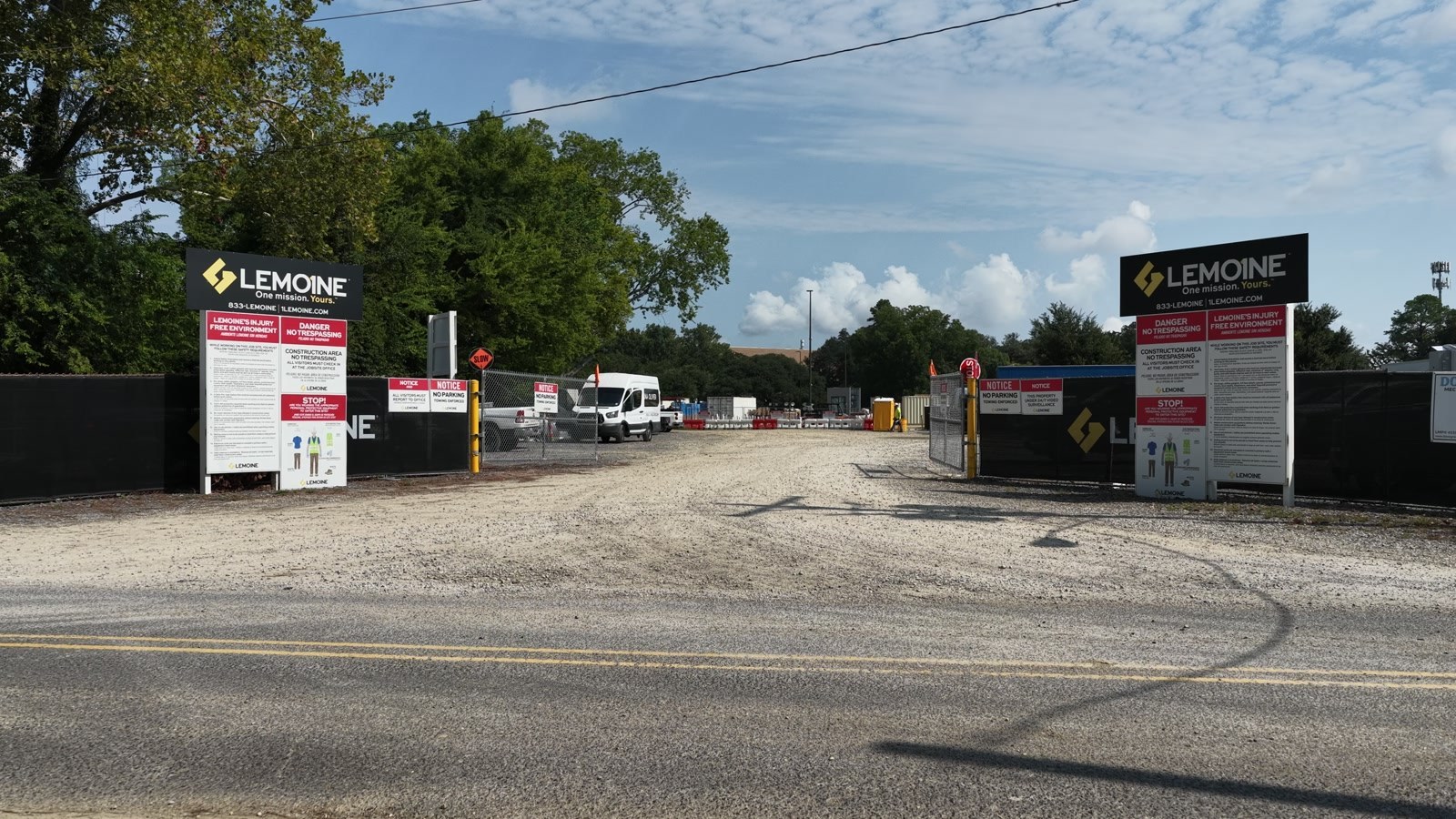
These two views demonstrate a useful choice. From higher up, you can follow more of the lane and see the vehicles inside the entrance. From lower down, the gate and signs are easier to recognize.
Both are from the same clip. For a reader who has never visited the site, the pair connects a recognizable entrance with the space beyond it. Choose coverage like this when access or site layout is relevant to the meeting.
Move closer when the overview stops explaining the work
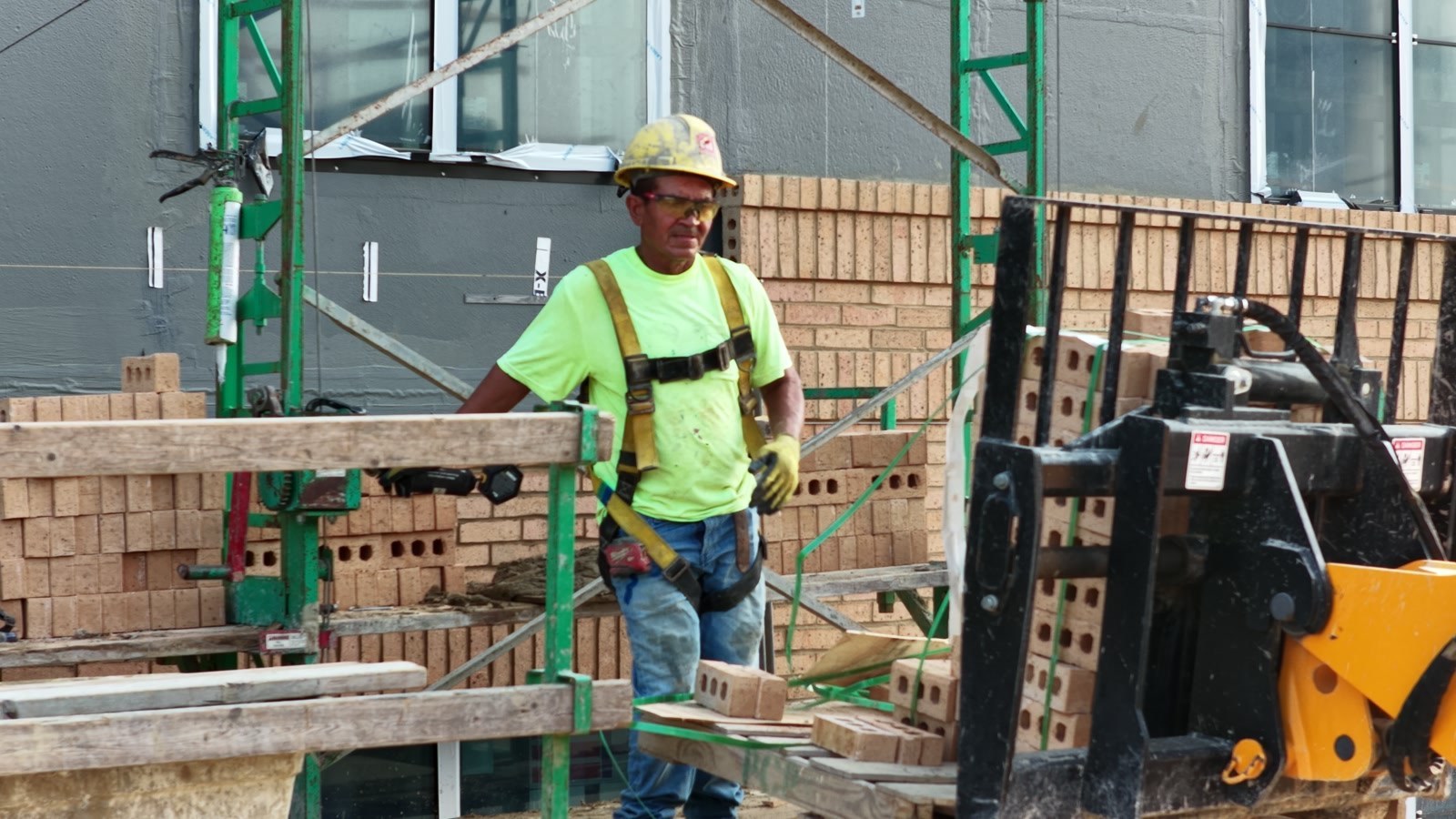
From the whole-site view, masonry is one part of a much larger picture. Move closer and the subject becomes the brickwork, the materials, and the people doing the job.
The first image below brings those details forward. The following elevated frame places the activity along the facade. Together, they help the viewer move between a specific task and the work area around it.
The capture method follows the question. An approved aerial angle, a longer lens, or ground coverage may be the right way to show a detail. Our construction video production can combine those perspectives with interviews when the project needs a fuller story.
Choose milestone views and storytelling frames deliberately
The structural frame below shows the building form and cranes together. It gives a project contact a visual reference for discussing an area or phase, with descriptions checked before delivery.
The flag-and-crane frame has a different strength: it gives a project film a memorable subject. It can belong in the same footage library, while the progress update gives more space to views that explain the work.

Sequence equipment footage from context to detail
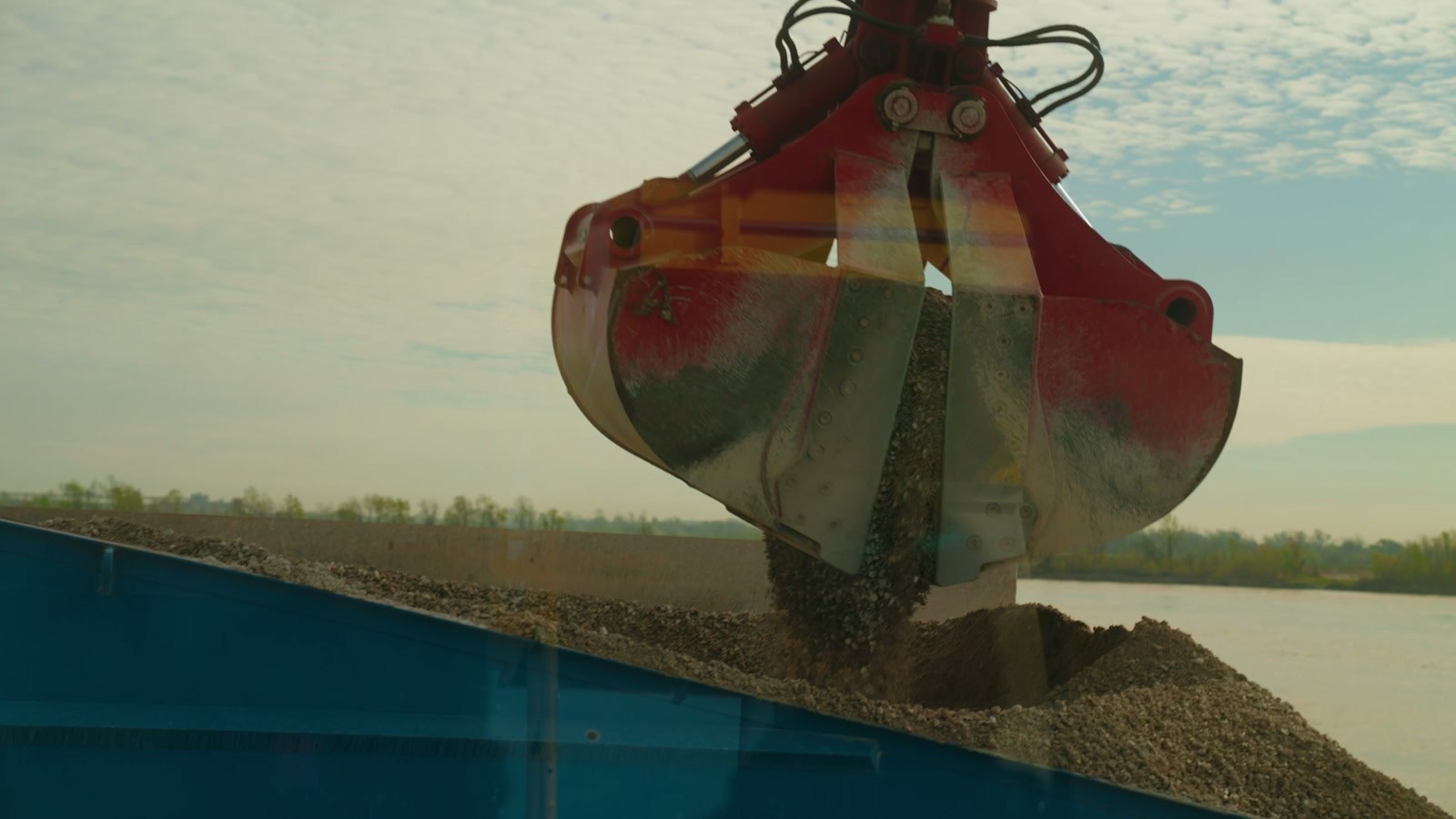
In the river sequence, the wide view establishes the setting. The closer crane frame identifies the equipment. The grab-bucket frame focuses attention on one visible part of the operation.
That sequence gives each shot a job. For an owner meeting, select the frames relevant to the discussion. For a capability film or project showcase, the same footage can support a longer explanation of the operation.
What should you receive after the visit?
Define the handoff around how the update will be used. A practical scope could include selected photographs with capture dates and area labels, a concise edited video, project-contact-reviewed captions, and organized originals.
For recurring visits, also agree on the reference views to repeat and how comparisons will be presented. Confirm turnaround, file formats, usage rights, and retention before production. The example selection above is a planning aid; the actual number of images and video length belong in your project scope.
Construction drone progress updates: buyer questions
How often should a construction site be filmed?
Match coverage to the reporting need and pace of visible change. For a monthly owner meeting, a visit before the meeting could supply current visuals. For a major installation, plan around the milestone. During a rapidly changing phase, weekly coverage may be useful if the team reviews it. These are planning examples; the project team and flight feasibility determine the schedule.
What affects the price of construction drone photography and video?
Price depends on the location, travel, site size, access and coordination requirements, flight feasibility, number of visits, required views, and delivery deadline. Selecting photographs, editing video, writing reviewed captions, and organizing an archive also affect the scope. A recurring program and a single visit should be quoted around their specific deliverables.
How is a progress update different from a construction marketing video?
A progress update emphasizes dated views, visible site conditions, and comparable coverage across visits. A marketing video builds a story about the project or company and may include interviews, music, graphics, and broader footage. Both can be planned into a production visit, with separate delivery requirements.
Can these images confirm completion, compliance, or measurements?
The images document what is visible. Completion, compliance, structural condition, and measurement accuracy require the appropriate qualified project professionals and methods. Have the project contact review milestone descriptions and keep technical assessments separately scoped.
What should we send before booking a shoot?
Send the site address, intended audience, preferred date, areas or milestones to capture, site contact, access requirements, and required deliverables. Identify the final reviewer and any known restrictions. The FAA’s commercial drone guidance provides the regulatory starting point; each planned operation still needs its own feasibility review.
Does LOP provide construction drone services in Baton Rouge?
Yes. Lana Oliver Productions provides drone videography, aerial photography, and visual site documentation in Baton Rouge and across Louisiana. We plan coverage around the audience, required views, site access, and flight feasibility.
Plan your next update
Give people a clearer view of the work.
Send us your Louisiana site location, upcoming milestones, and who needs to see the work. We’ll help define the coverage and delivery.
Find more practical marketing advice from LOP.
If this helped, add Lana Oliver Productions as a preferred source on Google. It helps our articles stand out when they appear in your search results.
Open the link, then check the box beside our name.
Add LOP as a preferred source